About
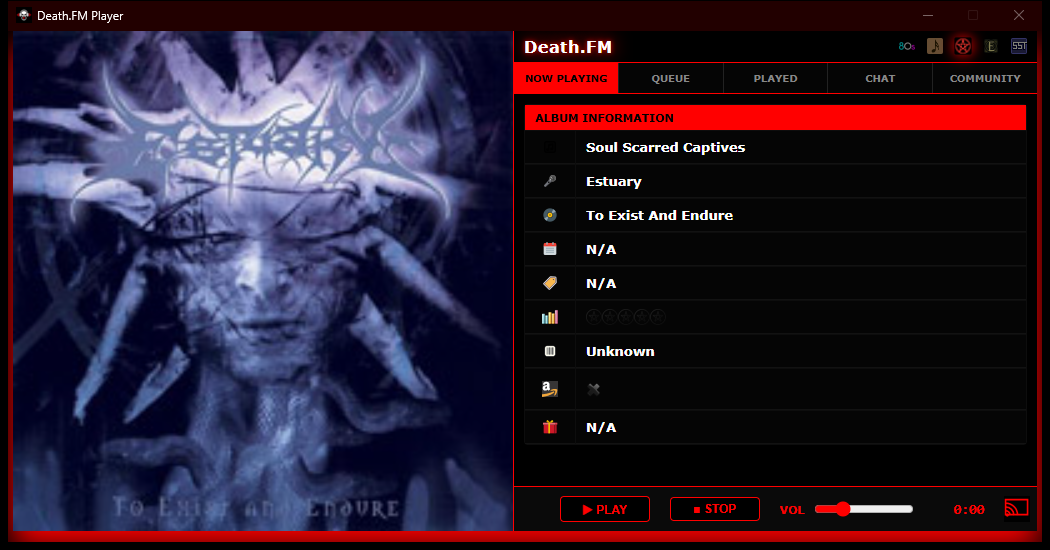
Death.FM is a long-running internet radio station streaming death metal 24/7, best experienced as its own app instead of a browser tab you have to keep alive. This project started as a small Windows tray player that wraps the station's own web player just well enough to get native system media controls, Last.fm scrobbling, and a Discord "now playing" status - the things a browser tab can't give you.
From there it grew into a small family of apps sharing the same approach: Metal Detector (SomaFM's metal channel) got the same treatment as its own native player, an Android app brought the same experience to phones, tablets, and Android Auto, and a custom Chromecast receiver means casting from either app keeps playing - and keeps scrobbling to Last.fm - even after the phone that started the cast is put away.
Everything here is built and released the same way: a GitHub Actions workflow builds and publishes each app the moment a version tag is pushed, and this page rebuilds itself from those releases automatically - so the download links and version numbers below are always current.
 Death.FM Tray
A native Windows tray player for Death.FM.
- Lives in the system tray, not the taskbar - closes to tray instead of quitting.
- Windows media controls (volume flyout / Now Playing) driven directly, not through the browser.
- Last.fm scrobbling and Discord Rich Presence for the current track.
- Toast notifications on track change.
- Cast to Chromecast, with Last.fm scrobbling handed off to the receiver so it keeps working after you disconnect.
- Volume remembers its last level across launches; start-with-Windows and start-minimized options.
Latest release: v1.2.7
Install instructions
- Download the zip above and extract it anywhere (no installer, no admin rights needed).
- Run
DeathFmTray.exe. Windows may show a SmartScreen prompt the first time - click "More info" -> "Run anyway". - Requires the WebView2 Runtime, which is already installed on Windows 11 and most current Windows 10 machines - Windows will prompt to install it automatically if it's missing.
- Right-click the tray icon (or click the app icon in the window's titlebar) for Settings, Last.fm/Discord connection, and Cast options.
Metal Detector
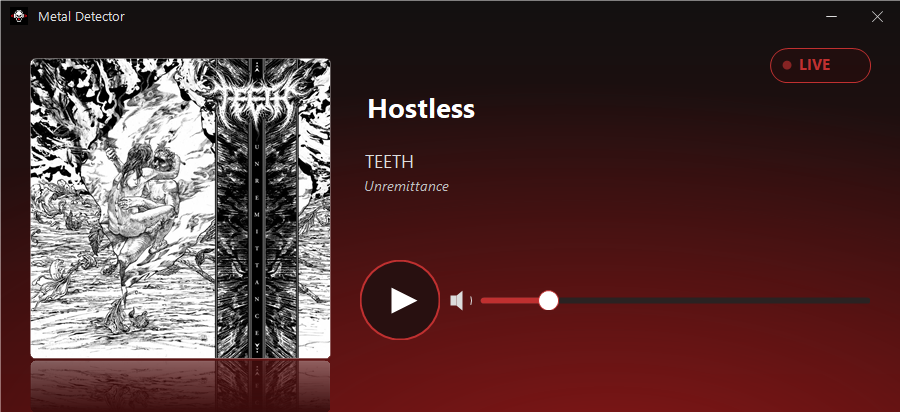
A native Windows tray player for SomaFM's Metal Detector channel.
- Plays the stream directly - no embedded browser engine, unlike Death.FM Tray.
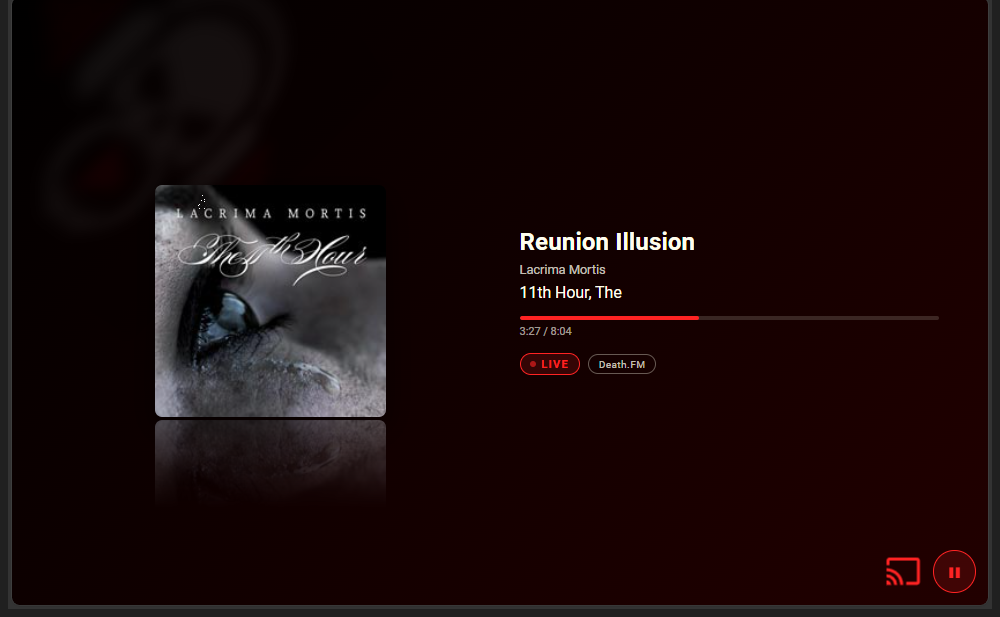
- Real album art, looked up live across fanart.tv, Deezer, Bandcamp, and iTunes, since the station's own feed never includes any.
- Custom-painted UI - reflected album art over a dark-to-red gradient, hand-drawn borderless window chrome.
- Same companion integrations as Death.FM Tray: SMTC media controls, Last.fm scrobbling, Discord Rich Presence, toast notifications.
- Real track-duration progress bar when a source reports one; a cosmetic fallback curve when it doesn't.
Latest release: v0.3.3
Install instructions
- Download the zip above and extract it anywhere (no installer, no admin rights needed).
- Run
SomaMetalTray.exe. Click through the SmartScreen prompt the first time, same as above. - Right-click the tray icon for Settings, Last.fm/Discord connection, and startup options.
Death.FM Android
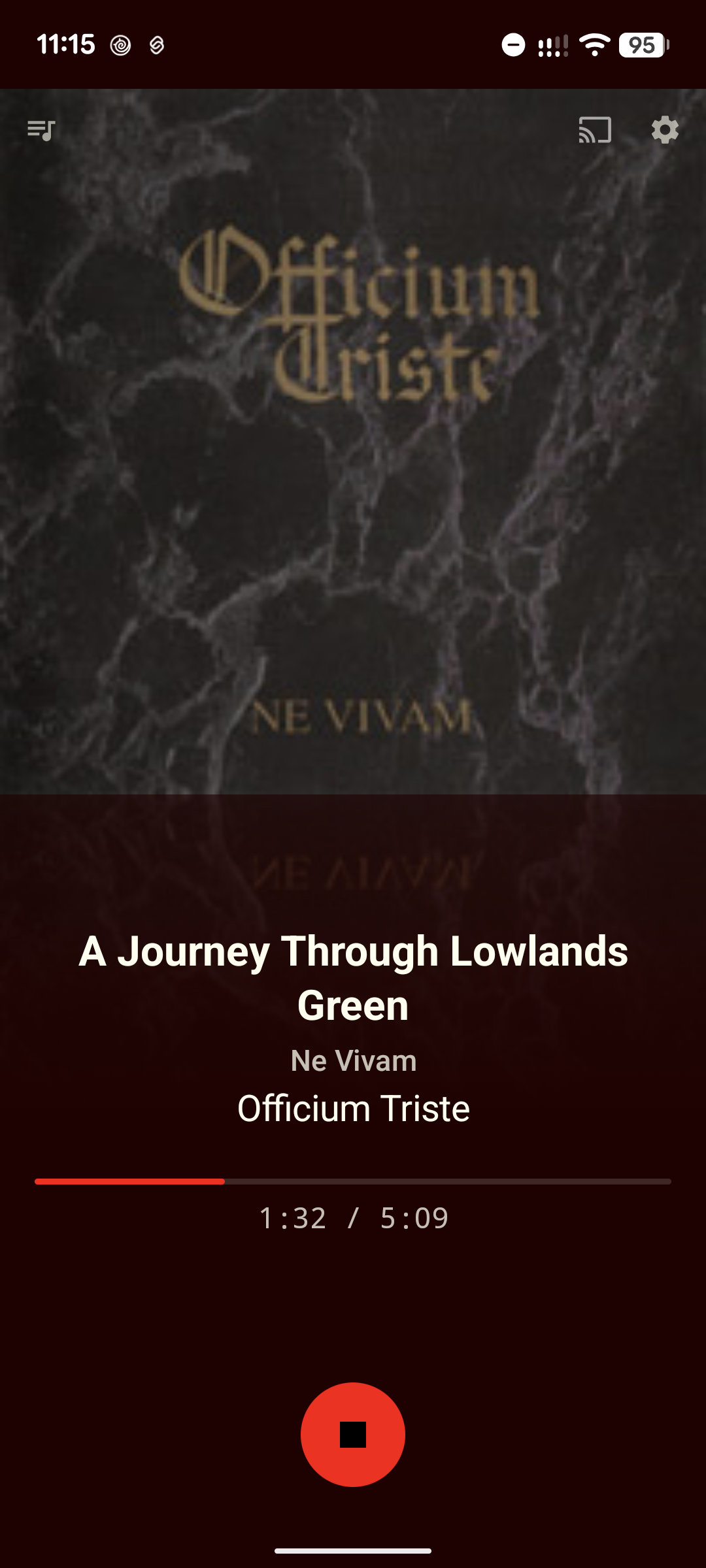
A native Android app for Death.FM, with Android Auto and Chromecast support.
- Native playback via Media3/ExoPlayer, with lock-screen and notification media controls.
- Android Auto support - launches straight into the player.
- Cast to Chromecast using the custom Death.FM receiver, with Last.fm scrobbling handed off so it survives the app closing.
- Last.fm scrobbling, with the full account-connection flow built in.
- Queue / Played browser for what's coming up and what recently played.
- Portrait and landscape layouts, tuned for phone and tablet.
Latest release: v0.4.5 (early / pre-release)
Install instructions
- Download the APK above on your Android device.
- Since this isn't yet on the Play Store, Android will ask to allow installs from your browser/file manager the first time - approve that, then open the downloaded file to install.
- Open the app, then use the Settings screen to connect a Last.fm account if you want scrobbling.
 Death.FM Cast Receiver
The custom Chromecast receiver behind casting in both apps above.
- Real elapsed-time display for the live stream, instead of a stuck "0:00" on Google's default receiver.
- Death.FM branding instead of the generic "Default Media Receiver" screen.
- Independent Last.fm scrobbling - the receiver polls now-playing data and scrobbles on its own, so casting survives the sending phone or PC being closed.
- Also serves Metal Detector's stream, switchable from a TV remote or from either app.
This isn't something you install - it's infrastructure the Tray, Metal Detector, and Android apps all cast to automatically. It runs as a Cloudflare Worker, deployed independently of the apps above.
Also handy if you're running these on Windows: AudioToggleTray - a tiny tray utility for instantly switching your default audio output device (e.g. speakers ↔ headphones) with one click or a hotkey. Not a Death.FM app, just a small companion tool. Download (v1.3.0)
Support the stations - for the love of metal 🤘
None of this exists to compete with or take anything away from Death.FM or SomaFM - they made the music streams and the community worth building a better player for in the first place. These apps are just native front-ends for stations that are entirely listener-funded, run without commercial breaks, and cost real money to keep broadcasting. If you get real use out of them, please consider subscribing or donating directly to the stations themselves.